PMINFOHUB
Dan Sunil monogram
Healthcare IT deep dive

Aligning healthcare practice with transforming technology: the project manager's guide

Most healthcare technology programmes fail for one reason: the technology changes and the practice does not — or the practice is forced to bend around a tool that was never designed for how care is actually delivered. Nurses build workarounds, physicians document twice, and the promised benefits never arrive.

The project manager's job in a clinical transformation is to keep three things moving together: the clinical practice (how care is delivered), the technology (what the system does), and the operating model (who owns, funds and improves it after go-live). Get one ahead of the others and you create risk to patients, staff and revenue.

This guide covers the alignment model, an end-to-end workflow, the stakeholders and their roles, three worked examples, and the artefacts and measures that prove practice and technology are really aligned.

A nurse, a physician and a project manager reviewing a workflow diagram on a tablet in a hospital corridor
Alignment starts with clinicians and the PM looking at the same workflow.

The five things that must move together

Use these as the workstreams of your plan. If one pillar has no owner or no milestones, that's where the programme will break.

  • Clinical practice

    What should good care look like, and what evidence says so?

    PM focus: Anchor scope to a clinical goal (e.g. faster sepsis treatment, safer medication administration), not to a feature list. Get the clinical standard or guideline written down before design starts.

  • Workflow & people

    Who does what, when, where — and with how much time?

    PM focus: Map current and future workflows with frontline staff by role. Count clicks, hand-offs and minutes. Name every role whose work changes and plan their training, backfill and support.

  • Technology

    What does the system do, and what does it connect to?

    PM focus: Configure to the future-state workflow, preferring vendor standard content. Track interfaces, devices and data flows as first-class scope items with owners.

  • Governance & policy

    Who decides, and what rules, policies and regulations apply?

    PM focus: Route clinical decisions through clinical governance, update policies and procedures in step with the build, and complete privacy, security and regulatory review before go-live.

  • Measurement & sustainment

    How will we know it worked, and who keeps it working?

    PM focus: Agree baseline and target measures at charter stage, build the dashboard before go-live, and hand over to a named operational owner with a funded optimisation backlog.

The alignment workflow: eight steps from problem to sustained practice

  1. 1. Define the clinical problem
  2. 2. Map the current state
  3. 3. Design the future practice first
  4. 4. Fit the technology to the practice
  5. 5. Validate with clinicians
  6. 6. Prepare people and policy
  7. 7. Go live and support at the elbow
  8. 8. Measure, sustain and optimise
Clinicians and IT analysts mapping a patient workflow with sticky notes on a whiteboard
Steps 2–3: map the real current state and design the future practice with frontline staff.
  1. 1. Define the clinical problem

    Translate a strategic aim into a measurable clinical or operational problem.

    • Run a problem-framing session with the clinical sponsor: who is harmed or delayed today, how often, and what it costs.
    • Capture a baseline from existing data (quality reports, incident logs, time studies).
    • Write a one-page problem statement signed by clinical and operational leaders.

    Output: Problem statement, baseline measures, clinical sponsor named

  2. 2. Map the current state

    See the work as it is really done, not as policy says it is done.

    • Shadow staff on day, night and weekend shifts; include agency and float staff.
    • Draw swimlane maps per role, marking hand-offs, paper steps, double documentation and workarounds.
    • List every system, device and interface touched in the workflow.

    Output: Current-state swimlanes, pain-point log, system/interface inventory

  3. 3. Design the future practice first

    Agree what good care looks like before configuring anything.

    • Bring evidence (guidelines, best practice, vendor benchmarks) to a design session led by clinicians.
    • Design by patient journey (e.g. ED arrival to inpatient bed), not by application module.
    • Log every design decision with its owner, rationale and date.

    Output: Future-state workflows, decision log, policy changes list

  4. 4. Fit the technology to the practice

    Configure the system to support the new workflow — and change the practice where the standard tool is good enough.

    • Run a fit-gap: adopt vendor standard where it meets the clinical need; justify every customisation on safety, regulatory or revenue grounds.
    • Send gaps to change control with their testing, training and upgrade cost made visible.
    • Hold privacy, security and interface reviews alongside the build, not at the end.

    Output: Fit-gap register, approved change requests, build plan

  5. 5. Validate with clinicians

    Prove the workflow is safe and usable with realistic patient scenarios.

    • Have clinicians run scripted day-in-the-life scenarios across systems and roles.
    • Triage defects by patient-safety impact; no open safety defects at go-live.
    • Test downtime procedures and the paper fallback.

    Output: Clinical validation sign-off, defect log with safety triage, downtime plan

  6. 6. Prepare people and policy

    Make sure every affected role is trained, supported and covered by updated policy.

    • Deliver role-based training close to go-live; link access to training completion.
    • Recruit and train super users on every unit and shift.
    • Publish updated policies, procedures and job aids before go-live day.

    Output: Training completion tracker, super-user roster, approved policies

  7. 7. Go live and support at the elbow

    Switch over safely while care continues.

    • Run a command centre with clinical, technical and vendor leads; triage issues by safety impact.
    • Reduce schedules or staffing load where needed for the first days.
    • Hold daily huddles and publish issue trends to leadership.

    Output: Go-live command centre, issue tracker, daily status reports

  8. 8. Measure, sustain and optimise

    Confirm the practice really changed and keep improving it.

    • Compare outcomes against the baseline at 30, 60 and 90 days.
    • Watch for workarounds and drift through audits and usage data.
    • Hand over to an operational owner with a prioritised optimisation backlog.

    Output: Benefits report, adoption dashboard, handover and optimisation backlog

Stakeholders and their roles

Clinical transformation touches more groups than almost any other project. Here is who is involved, what they own, and what they need from you.

Executive

RoleResponsibilityWhat they need from the PM
Executive sponsor (CEO/COO/CNO)Owns the business case, funds the programme and breaks deadlocks between departments.Short, decision-focused updates; escalations with options and a recommendation.

Clinical

RoleResponsibilityWhat they need from the PM
Chief Medical Information Officer (CMIO)Leads physician engagement, chairs clinical design decisions and owns clinical decision support content.Protected design time, clear decision deadlines and evidence for every recommendation.
Chief Nursing Information Officer (CNIO)Represents nursing practice, documentation standards and nursing training needs.Nursing workflows mapped by shift and unit; backfill funded in the budget.
Physician and nurse championsRespected frontline clinicians who validate designs, test workflows and influence peers.Recognition, early wins and a direct line to raise issues.
Pharmacy, lab and imaging leadsOwn ancillary workflows, formularies, order catalogues and result routing.Early involvement — their content often sits on the critical path.

Operational

RoleResponsibilityWhat they need from the PM
Department and unit managersRelease staff for design and training, enforce new procedures and own day-to-day adoption.Schedules agreed months ahead and readiness scorecards for their area.
Revenue cycle and HIM leadersProtect charge capture, coding, billing and the legal medical record.Revenue testing and post-go-live cash monitoring in the plan.
Project manager / PMOIntegrates the plan, runs governance cadence, tracks RAID, readiness and benefits, and keeps practice, technology and operations moving together.Authority to escalate, access to every workstream and a single source of truth for the plan.

Technology

RoleResponsibilityWhat they need from the PM
Clinical informatics and application analystsTranslate clinical design into system build and support it after go-live.Clear, signed-off designs and a controlled change process.
IT infrastructure, integration and securityDevices, network, interfaces, identity and cybersecurity controls.Interface and device inventories early; security review in the schedule.

Assurance

RoleResponsibilityWhat they need from the PM
Quality, patient safety and riskDefine safety measures, review hazards and investigate incidents linked to the change.A hazard log, safety triage of defects and post-go-live incident reporting.
Privacy officer and complianceHIPAA privacy and security, consent, regulatory reporting and audit evidence.Privacy impact review at charter stage and evidence captured as you go.

External

RoleResponsibilityWhat they need from the PM
Patients and patient advisory councilsRepresent the patient experience for portals, communications and access changes.Plain-language materials and testing with real patients.
Technology vendorSupplies software, model content, implementation consultants and upgrade roadmap.Contracted milestones, named resources and joint RAID reviews.

Worked examples

These are illustrative composites based on common healthcare scenarios, not reports from named organisations.

Illustrative 300-bed community hospital

Barcode medication administration on inpatient wards

Challenge: Scanners were installed, but nurses bypassed scanning on busy shifts. Override rates were high and the safety benefit was not appearing.

What the PM did

  • Shadowed medication rounds on all shifts and found wristband printers failing and barcodes on some unit-dose packs unreadable.
  • Redesigned the workflow with pharmacy (repackaging), biomed (scanners) and nursing (scan-at-bedside policy).
  • Added a weekly unit-level scanning compliance report reviewed at nursing huddles.

Illustrative outcome: scanning compliance rose from about 70% to above 95% within three months as the root causes — not the nurses — were fixed.

Illustrative academic medical centre ED

Sepsis early-warning alert in the emergency department

Challenge: A predictive sepsis alert fired so often that physicians ignored it, and time to antibiotics did not improve.

What the PM did

  • CMIO and ED leads agreed a clinical response protocol before re-tuning the alert.
  • Re-tuned thresholds with data science, routed alerts to a charge nurse role rather than every physician, and linked the alert to an order set.
  • Tracked alert volume, response and time-to-antibiotics on a shared dashboard.

Illustrative outcome: fewer, more actionable alerts and faster treatment — because practice (the response protocol) was designed first and the tool was fitted to it.

Illustrative multi-hospital health system

Virtual nursing on a medical-surgical unit

Challenge: Nurse staffing shortages; leadership wanted remote nurses to handle admissions, discharges and education by video.

What the PM did

  • Defined which tasks moved to the virtual nurse and which stayed at the bedside, with nursing practice council approval.
  • Updated scope-of-practice policies, documentation templates and patient consent wording.
  • Piloted on one unit for 8 weeks, measuring discharge time, nurse satisfaction and patient experience before scaling.

Illustrative outcome: the pilot surfaced hand-off gaps that were fixed before roll-out, so the model scaled with staff support instead of resistance.

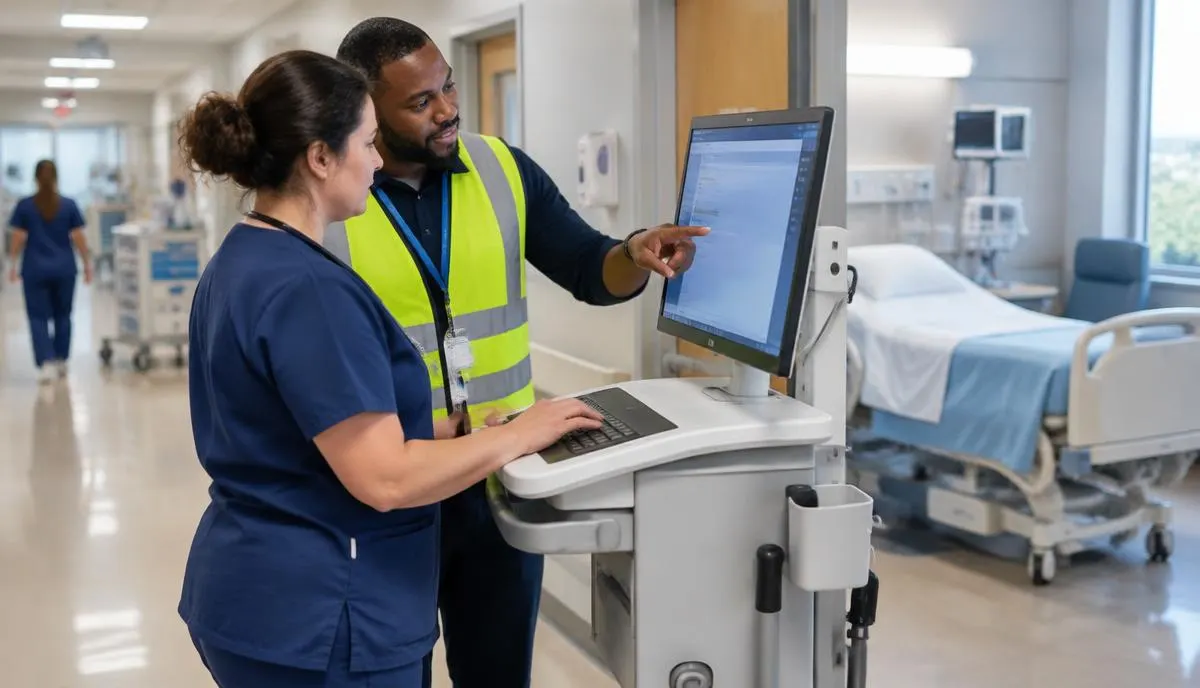
A super user in a high-visibility vest helping a nurse use a new system on a workstation beside a patient room
Step 7: at-the-elbow support keeps care safe while the new practice beds in.

Artefacts that keep practice and technology aligned

  • Clinical problem statement

    One page linking the strategic aim to a measurable clinical problem and baseline.

  • Current/future-state swimlanes

    Role-by-role workflows showing hand-offs, systems and pain points.

  • Fit-gap register

    Each requirement marked adopt-standard, configure, or customise — with justification.

  • Decision log

    Every design decision, owner, date and rationale; protects you when people change.

  • Stakeholder & RACI map

    Who decides, who is consulted, who must be told — by workstream.

  • Hazard (safety) log

    Clinical risks introduced by the change and the controls that mitigate them.

  • Readiness scorecard

    Red/amber/green per unit for training, devices, policy and super users.

  • Benefits & adoption dashboard

    Baseline vs. actual for the clinical and operational measures in the charter.

How to prove alignment worked

  • Clinical outcome tied to the goal (e.g. time to antibiotics, medication error rate, falls)
  • Workflow adoption (e.g. scanning compliance, order-set usage, structured documentation)
  • Clinician burden (documentation time, after-hours system use, alert override rate)
  • Workarounds detected in audits or observation
  • Patient experience and access (portal activation, wait times, complaints)
  • Financial flow (charge lag, denials, days in A/R) where revenue workflows change

Common pitfalls

  • Buying technology to fix a practice problem

    Start with the clinical problem statement and baseline; some problems need a policy or staffing fix, not software.

  • Designing in IT meeting rooms

    Design with frontline clinicians on the unit, across shifts, and validate with real patient scenarios.

  • Policy lags the system

    Treat policies, procedures and job aids as deliverables on the same schedule as the build.

  • Measuring go-live instead of outcomes

    Report the clinical and adoption measures for at least 90 days after go-live.

  • No owner after the project closes

    Name the operational owner and fund an optimisation team before the charter is signed.

Frequently asked questions

What is clinical transformation in healthcare IT?
Clinical transformation is changing how care is delivered — workflows, roles, policies and measures — together with the technology that supports it. The goal is a better clinical or operational outcome, not just a new system.
What does a project manager do in clinical transformation?
The PM integrates clinical, operational and technical workstreams: running governance, keeping decisions on time, managing RAID and change control, tracking readiness and training, and reporting benefits against the baseline after go-live.
Who should own clinical design decisions?
Clinical leaders — typically the CMIO, CNIO and clinical councils — own decisions about how care is delivered. IT and vendors advise on what the technology can do. The PM makes sure decisions are made, logged and communicated on time.
How do you stop clinicians creating workarounds?
Design with them, fix the root causes they surface (devices, hand-offs, time pressure), keep super users on the floor after go-live, and monitor adoption data so workarounds are spotted and addressed quickly.
Should we adapt the practice to the software or the software to the practice?
Both, deliberately. Adopt the vendor's standard where it meets the clinical need — it is cheaper to test, train and upgrade. Customise only where there is a safety, regulatory or revenue reason, and record why.